Can my child change the rules? Guardian mode, Setup mode and the parent password
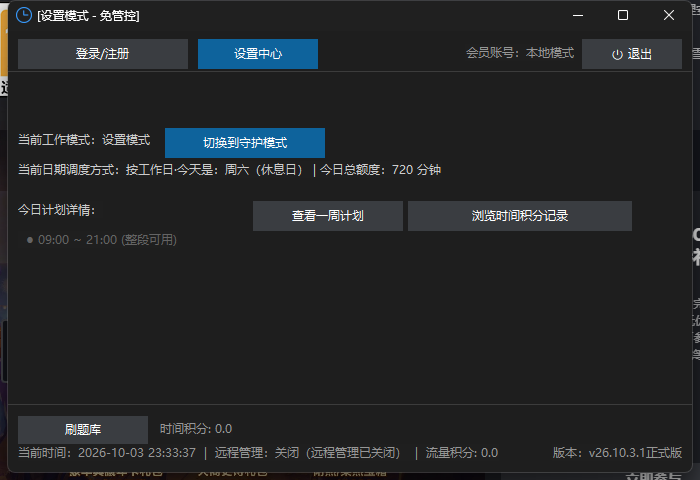
Guardian mode is the everyday state for the child: time slots, daily limits, app groups, website blocking, eye-care breaks and the lock screen are all enforced. Setup mode is for parents: all controls are paused so you can install software, copy files or troubleshoot. Always return to Guardian mode when done.
Can my child secretly change the time rules?
No. Changing slots, limits, app and website rules — or uninstalling — always requires the parent password to enter Setup mode. Children stay in Guardian mode and cannot get around it. See the comparison below.
| Aspect | Guardian mode | Setup mode |
|---|---|---|
| Rules enforced | All enforced (slots / limits / apps / websites / breaks) | All paused |
| Lock screen | Yes, on schedule or when the quota runs out | No |
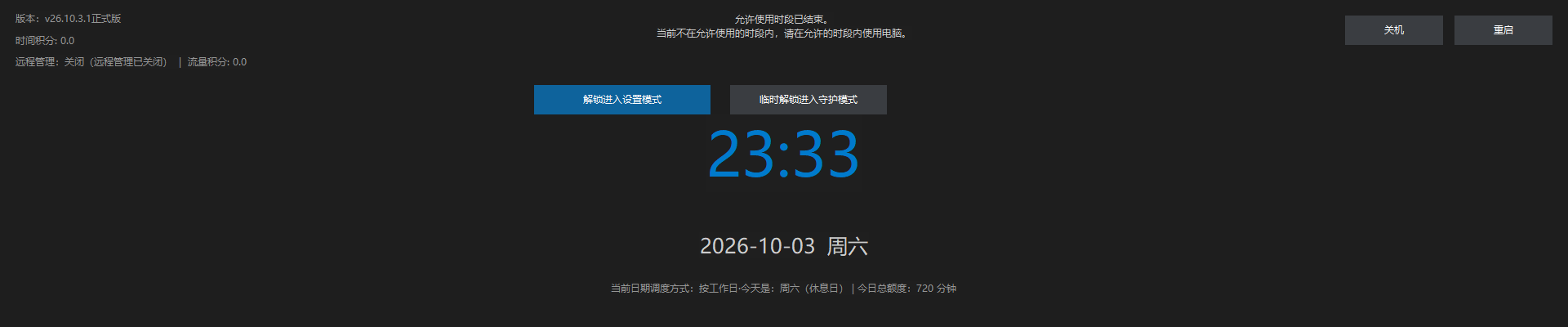
| How to enter | Click Apply Now in the client, or switch from the web console | Verify the parent password on the lock screen or home screen |
| Typical use | Everyday child use | Parent installs software, copies files, fixes issues |
How to switch
- To Setup mode: click Unlock to Setup mode on the home or lock screen and enter the parent password.
- Back to Guardian mode: click Apply Now in Settings, or close the client window.
- Remote switch: the web console can switch modes remotely (requires an active remote-management entitlement).
Parent password notes
- The parent password is required to: enter Setup mode, change any rule, temporarily unlock, and uninstall.
- Entering 110 on the lock screen is the child's emergency channel (1-minute temporary unlock, 3 times a day), not the parent password — see Emergency & FAQ.
- A remotely issued temporary lock does not apply in Setup mode; the client switches back to Guardian mode first, then locks.
What if I forget the parent password?
The parent password cannot be recovered online. First issue a temporary unlock from the web console with your bound account to buy time; if Setup mode is still unreachable, reinstall (which clears local rules) or contact support — see Emergency & FAQ.